In competitive esports and high-cadence typing, milliseconds make the difference between a victory and a missed opportunity. While marketing materials frequently claim “0.1ms response times” and “8000Hz polling rates”, the true latency of your keystroke is dictated by a chain of physical and digital bottlenecks.
In this technical breakdown, we examine how traditional mechanical, optical, and magnetic Hall Effect switches handle the physics of key actuation, contact debounce, and firmware transmission.
The Anatomy of Keystroke Latency
Total input lag from your finger pressing a key to the pixel updating on your monitor consists of four distinct phases:
$$\text{Total Latency} = T_{\text{travel}} + T_{\text{debounce}} + T_{\text{polling}} + T_{\text{render}}$$
- Travel Latency ($T_{\text{travel}}$): Time required for your finger to push the switch stem down from rest position to the electrical actuation point (usually 1.0mm to 2.0mm).
- Debounce Delay ($T_{\text{debounce}}$): Firmware pause implemented to ignore metallic contact bounce.
- USB Polling Latency ($T_{\text{polling}}$): Interval between USB microcontroller scan reports sent to your operating system.
- Driver & Render Pipeline ($T_{\text{render}}$): OS event queue handling, game engine processing, and monitor refresh pipeline.
Switch Architectures Compared
1. Traditional Mechanical Switches (Cherry MX, Gateron, Kailh)
Mechanical switches rely on physical gold-plated copper leaf contacts. When you press the switch, the leaf snaps closed. Because metals vibrate upon impact, keyboards must apply a debounce algorithm (ranging from 3ms to 15ms).
- Pros: Vast variety of tactile bumps, linear weights, and clicky acoustics (see our guide to Red, Blue, and Brown switches).
- Debounce Penalty: 3ms – 10ms of mandatory delay before sending the signal to prevent double clicks.
2. Optical Switches (Razer Optical, Gateron Optical, SteelSeries)
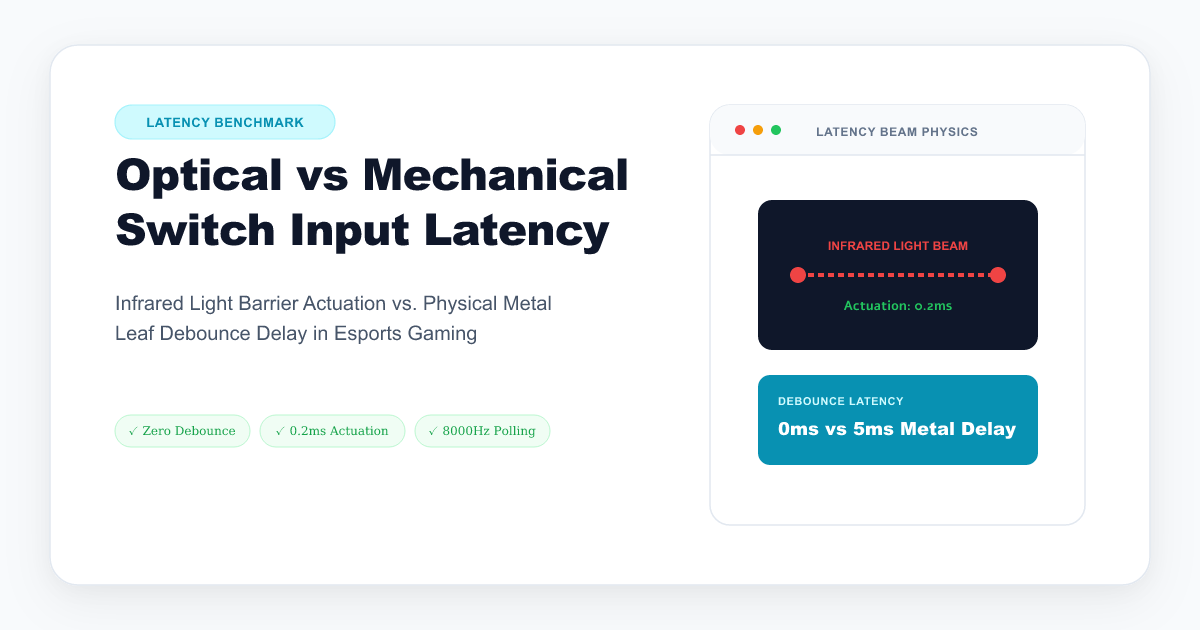
Optical switches replace physical metal leaf contacts with an infrared light beam inside the PCB socket. Pressing the switch moves a plastic shutter that unblocks or interrupts the infrared beam.
- How it works: Instant light detection via phototransistor.
- Debounce Penalty: 0ms. Since there are no physical metal contacts colliding, no electrical bounce occurs.
- Latency Advantage: 2ms – 8ms faster actuation than traditional mechanical switches.
3. Magnetic Hall Effect Switches (Wooting, DrunkDeer, Keychron HE)
Magnetic switches utilize a permanent magnet inside the switch stem and a Hall Effect sensor IC on the PCB. The sensor measures continuous changes in magnetic flux density as the stem descends.
- Rapid Trigger: Allows the actuation and reset points to dynamically adjust in real time (as low as 0.1mm travel distance).
- Zero Debounce Delay: Contactless sensing eliminates bounce algorithms entirely.
- Continuous Actuation: Instant reset the millisecond your finger begins releasing upward motion.
Latency Benchmark Comparison Table
| Metric | Traditional Mechanical | Optical Switch | Hall Effect (Magnetic) |
|---|---|---|---|
| Contact Mechanism | Metal Leaf Contact | Infrared Light Beam | Magnetic Flux Sensor |
| Physical Bounce? | Yes (3–10ms) | No (0ms) | No (0ms) |
| Pre-Travel Distance | 1.8mm – 2.2mm | 1.0mm – 1.5mm | Adjustable (0.1mm – 4.0mm) |
| Rapid Trigger Support | No | Rare | Yes (Native) |
| Average Key-to-USB Delay | 4.5ms – 12.0ms | 0.8ms – 2.0ms | 0.4ms – 1.5ms |
| Lifespan (Clicks) | 50–100 Million | 100+ Million | 100+ Million |
1000Hz vs 8000Hz Polling Rates: Does it Matter?
Standard keyboards query inputs at 1000Hz (once every 1.0ms). Modern gaming boards now boast 8000Hz (once every 0.125ms / 125 microseconds).
1000Hz Polling Window: [────── 1.0 ms ──────]
8000Hz Polling Window: [─ 0.125 ms ─]
While 8000Hz provides an approximate ~0.875ms reduction in worst-case polling jitter, the bottleneck on traditional mechanical switches remains the 3–10ms leaf debounce time.
To extract the true benefit of high polling rates (4000Hz – 8000Hz), pairing high polling firmware with contactless Optical or Hall Effect switches is essential.
How to Test Your Own Keyboard’s Input Response
You can measure your keyboard’s switch release times, debounce thresholds, and single-key latency consistency directly in your web browser with our Online Keyboard Latency Benchmark Tool.