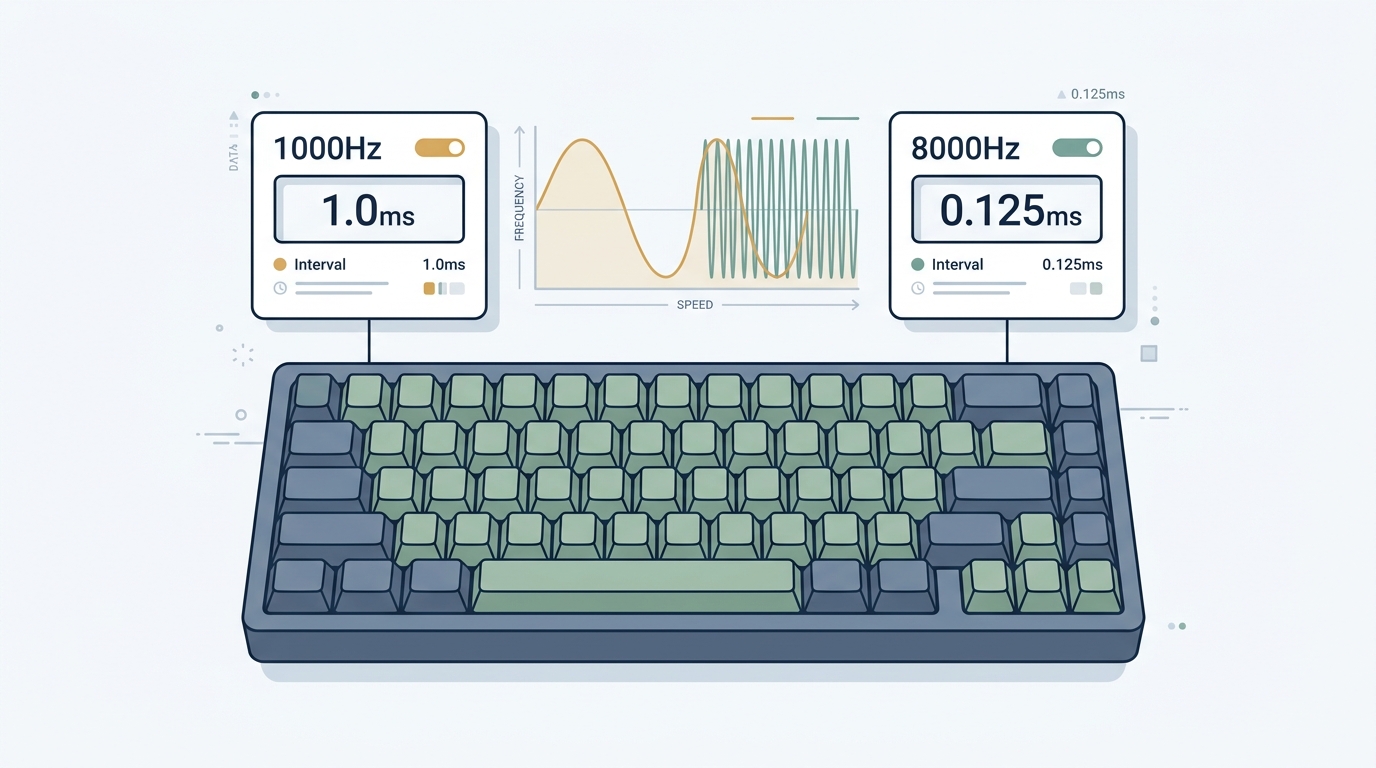
Every few months, a new gaming keyboard hits the market advertising 4000Hz, 8000Hz, or even “hyper-polling” rates, claiming to eliminate input lag entirely. But should you upgrade? And what does polling rate actually mean for your typing and gaming experience?
This guide cuts through the marketing noise. We explain the real physics behind keyboard polling, show you exactly when higher Hz delivers a measurable competitive advantage (and when it genuinely doesn’t), and walk you through how to measure your own keyboard’s response time using our free Keyboard Latency Test Tool.
1. What Is Keyboard Polling Rate?
Polling rate is how often your keyboard sends an input report to your computer, measured in Hertz (Hz). One Hertz equals one report per second.
| Polling Rate | Interval Between Reports | Keyboard Type |
|---|---|---|
| 125Hz | Every 8.0 ms | Budget office keyboards (USB Full Speed fallback) |
| 250Hz | Every 4.0 ms | Older gaming peripherals |
| 500Hz | Every 2.0 ms | Mid-range gaming keyboards |
| 1,000Hz | Every 1.0 ms | Standard competitive gaming keyboards |
| 2,000Hz | Every 0.5 ms | High-performance optical / Hall Effect |
| 4,000Hz | Every 0.25 ms | Premium flagship gaming keyboards |
| 8,000Hz | Every 0.125 ms | Top-tier hyper-polling keyboards (Wooting, Razer, SteelSeries Apex Pro) |
Here is the most important number to understand: the difference between 1000Hz and 8000Hz is 0.875 milliseconds in worst-case polling interval.
Not 8 milliseconds. Not 10 milliseconds. 0.875 milliseconds.
That framing completely changes the conversation about whether the upgrade is worth it — but the nuance is buried in how the entire input pipeline works. Let’s go layer by layer.
2. The Full Keystroke Latency Pipeline
A single keystroke involves far more than just a polling interval. Total keyboard-to-pixel latency breaks down into four distinct phases:
[ Your Finger Presses a Key ]
           │
           ▼
┌──────────────────────────────────────────────────────┐
│  Phase 1: Physical Switch Actuation (T_switch)       │
│  Time for stem to travel from rest to actuation      │
│  point and for electrical contact to register.       │
│  Duration: 0.5ms – 2.0ms (Optical / Hall Effect)     │
│            2.0ms – 6.0ms (Traditional Mechanical)    │
└────────────────────────┬─────────────────────────────┘
                         │
                         ▼
┌──────────────────────────────────────────────────────┐
│  Phase 2: Firmware Debounce Filter (T_debounce)      │
│  Keyboard MCU waits to confirm clean electrical      │
│  contact before reporting the keypress.              │
│  Duration: 0ms  (Optical / Hall Effect switches)     │
│            3ms – 15ms (Traditional Mechanical)       │
└────────────────────────┬─────────────────────────────┘
                         │
                         ▼
┌──────────────────────────────────────────────────────┐
│  Phase 3: USB HID Polling Transmission (T_polling)   │
│  Keyboard waits for the next USB polling window to   │
│  send the key report to the operating system.        │
│  Duration: 0ms – 1.0ms @ 1000Hz                     │
│            0ms – 0.125ms @ 8000Hz                    │
└────────────────────────┬─────────────────────────────┘
                         │
                         ▼
┌──────────────────────────────────────────────────────┐
│  Phase 4: OS Event Queue + Game Engine (T_render)    │
│  Windows / Linux queues the HID event, game engine   │
│  reads it, computes state, renders and displays.     │
│  Duration: 0.5ms – 5.0ms (depends on CPU speed,     │
│  game engine tick rate, and monitor refresh rate)    │
└──────────────────────────────────────────────────────┘
The critical insight: Phase 2 (debounce) dominates latency on traditional mechanical keyboards — often contributing 5ms to 15ms. Spending $200 extra to upgrade your polling rate from 1000Hz to 8000Hz only shaves 0.875ms off Phase 3, while leaving 5ms–15ms of debounce latency completely untouched.
This is why the switch technology matters far more than polling rate alone. To explore the exact hardware difference between internal matrix scanning and USB reporting intervals, read our comprehensive analysis of Keyboard Polling Rate vs. Scan Rate vs. Latency.
3. The Real Numbers: End-to-End Latency by Switch Type
Let’s look at realistic end-to-end latency figures (Phases 1–3 combined, excluding OS and render pipeline):
| Switch Technology | Debounce Delay | @ 1000Hz Polling | @ 8000Hz Polling | Improvement from 8kHz |
|---|---|---|---|---|
| Traditional Mechanical (Cherry MX, Gateron) | 5ms – 15ms | 5.5ms – 16.0ms | 5.0ms – 15.2ms | ~0.8ms (5%) |
| Optical Infrared (Razer Optical, Gateron Optical) | 0ms | 0.5ms – 1.0ms | 0.06ms – 0.25ms | ~0.75ms (75%) |
| Hall Effect Magnetic (Wooting, DrunkDeer, Keychron HE) | 0ms | 0.5ms – 1.0ms | 0.06ms – 0.25ms | ~0.75ms (75%) |
The takeaway?
- On traditional mechanical keyboards, upgrading from 1000Hz to 8000Hz provides essentially no perceptible benefit. Debounce time dwarfs the polling interval improvement by a factor of 10x to 15x.
- On optical or Hall Effect keyboards, where debounce is already 0ms, hyper-polling becomes far more meaningful — cutting worst-case polling latency from 1.0ms down to 0.125ms. This genuinely matters at 360Hz+ monitors.
4. How USB HID Polling Actually Works (Under the Hood)
Most gamers think of polling rate as “the keyboard talks to the PC every X milliseconds.” The real process is more interesting — and more important for understanding performance limits.
The USB Token Transaction Cycle
USB 2.0 High Speed uses an interrupt transfer pipe for HID keyboard reports. Here is what happens at 1000Hz:
USB 1000Hz Timeline (1.0ms intervals):

t = 0.000ms │ Host sends SOF (Start of Frame) token
t = 0.001ms │ Host issues IN token to keyboard endpoint
t = 0.002ms │ Keyboard sends 8-byte HID report (or NAK if no change)
t = 0.003ms │ Host sends ACK
t = 1.000ms │ Next SOF — cycle repeats

A key pressed at t = 0.500ms:
→ Switch actuates at ~t = 0.500ms
→ Debounce clears at ~t = 0.505ms (optical) or t = 5.500ms (mechanical)
→ Report sent at NEXT polling window: t = 1.000ms
→ Worst-case polling wait: 0.495ms
→ Average wait: 0.5ms
At 8000Hz, the SOF arrives every 0.125ms, meaning worst-case wait drops to 0.125ms (average: 0.0625ms). That is a real improvement — but only for keyboards whose switch+debounce pipeline is already faster than 0.125ms.
Why Traditional Mechanical Keyboards Cannot Benefit from 8000Hz
Here is the fundamental physics problem: a Cherry MX Red mechanical switch uses copper beryllium leaf contacts. When you press the switch, the leaves collide and physically bounce for 2ms to 12ms (electrical contact bounce). Keyboard firmware must apply a debounce window of at minimum 5ms to reliably distinguish a single keypress from metal vibration noise.
During this mandatory 5ms debounce window, it does not matter whether the keyboard is polling at 1000Hz or 8000Hz — the firmware simply has not decided to report the keystroke yet. You could have a 1,000,000Hz polling rate and it would make zero difference. The bottleneck is the mechanical physics of copper leaf contacts.
5. When Does Upgrading to 8000Hz Actually Help?
With the physics clear, here is a practical decision framework:
Scenario 1: Competitive CS2 / Valorant Player with a Traditional Mechanical Keyboard
Upgrade from 1000Hz to 8000Hz? → No benefit. Invest in optical or Hall Effect switches instead. The 5–12ms debounce delay on your Cherry MX or Gateron switches is your latency bottleneck, not polling rate.
Scenario 2: Rhythm Game Player (osu!, Etterna) with a Hall Effect Keyboard
Upgrade from 1000Hz to 8000Hz? → Yes — meaningful benefit. When your switch registers in under 0.5ms and firmware debounce is 0ms, moving from 1ms polling windows to 0.125ms windows can sharpen the precision of rapid multi-key input sequences. At 4000+ notes per minute in osu!mania, 0.875ms genuinely accumulates.
Scenario 3: Writer / Office Worker / MOBA Player
Upgrade from 1000Hz to 8000Hz? → No. Human reaction time for intentional keystrokes ranges from 150ms to 400ms. At 1000Hz (1.0ms windows), your polling latency is already less than 0.7% of your total reaction time. The upgrade is imperceptible.
Scenario 4: FPS Player on a 360Hz Monitor with an Optical Switch Keyboard
Upgrade from 1000Hz to 8000Hz? → Marginal benefit. At 360Hz, each rendered frame is 2.78ms. Reducing polling jitter from ±0.5ms to ±0.06ms very slightly reduces the probability of your input falling in the wrong display frame. This is the most justifiable use case outside rhythm games.
6. The Rapid Trigger Revolution: Why Hall Effect Changes Everything
The polling rate conversation in 2025–2026 cannot be separated from Rapid Trigger — the feature that has made Hall Effect magnetic keyboards (Wooting, DrunkDeer, Keychron HE, Razer Huntsman V3 Pro) the dominant choice for competitive play.
Traditional switches have fixed actuation and reset points. A Cherry MX Red activates when pressed to 2.0mm and only resets when you release the key back past 1.5mm. If you rapidly tap a key near the bottom of the travel without fully releasing, the switch cannot reset and drops your inputs.
Hall Effect keyboards, using continuous magnetic flux sensing, allow dynamic actuation anywhere in the travel range:
Traditional Mechanical Switch:
Press ──────────────────────────►
                   [ FIXED ACTUATION AT 2.0mm ]
Release ─────────────────────────►
       [ Must return past 1.5mm to reset ]
       ← 0.5mm hysteresis zone (dropped inputs here)

Hall Effect Keyboard with Rapid Trigger:
Press ──────────────────────────►
       [ Actuates the instant movement exceeds 0.1mm DOWN ]
Release ─────────────────────────►
       [ Resets the instant movement exceeds 0.1mm UP ]
       ← No fixed hysteresis zone (zero dropped inputs)
The counter-strafing advantage in CS2: When you let go of the D key to counter-strafe, a traditional keyboard takes 15–30ms for the switch spring to push the stem past the reset threshold. With Rapid Trigger, releasing your finger by just 0.1mm stops your character instantly — giving you first-bullet accuracy that is physically impossible to replicate on a traditional keyboard.
When paired with 4000Hz or 8000Hz polling, Hall Effect keyboards with Rapid Trigger represent the absolute minimum latency achievable in keyboard input today.
7. Polling Rate vs. Monitor Refresh Rate: The Missing Context
One of the most important — and most overlooked — aspects of the polling rate debate is monitor frame timing alignment.
Your game renders frames at a fixed refresh rate. Even if your keyboard registers a keypress perfectly, the game can only process and display the result on the next rendered frame:
| Monitor Refresh Rate | Time Per Frame | Polling Jitter at 1000Hz | Polling Jitter at 8000Hz |
|---|---|---|---|
| 60Hz | 16.67ms | ±0.5ms (3.0% of frame) | ±0.063ms (0.38% of frame) |
| 144Hz | 6.94ms | ±0.5ms (7.2% of frame) | ±0.063ms (0.91% of frame) |
| 240Hz | 4.17ms | ±0.5ms (12.0% of frame) | ±0.063ms (1.5% of frame) |
| 360Hz | 2.78ms | ±0.5ms (18.0% of frame) | ±0.063ms (2.3% of frame) |
| 500Hz | 2.00ms | ±0.5ms (25.0% of frame) | ±0.063ms (3.2% of frame) |
At 60Hz, 1ms of polling jitter is barely 3% of your frame time — effectively noise. At 360Hz to 500Hz, 1ms polling jitter represents 18% to 25% of a frame window. This is where hyper-polling starts providing a statistical advantage in which frame your input registers on.
The lesson: Hyper-polling matters most when all three components are aligned — high-Hz keyboard + contactless switch (zero debounce) + high-refresh-rate monitor.
8. How to Test Your Keyboard’s Actual Polling Rate and Latency
You do not have to take a manufacturer’s spec sheet at face value. Our Keyboard Latency Test Tool measures your keyboard’s real-world input latency directly in your browser — no software to download.
What the Tool Measures
-
Keypress Duration: How long your physical key switch stays electrically active. A clean mechanical switch registers 30ms to 80ms (human finger tap). An optical switch on a very fast typist can drop to 15ms to 25ms. Unusually long or inconsistent durations suggest switch bounce or contact oxidation.
-
Effective Scan Rate: Based on the timestamp delta between consecutive keypress events, our tool estimates your keyboard’s real USB polling interval — revealing whether your keyboard is truly polling at its advertised rate or downclocking on slower USB ports.
-
Jitter Consistency: Whether your polling intervals are uniform (ideal) or erratic (indicating USB bandwidth contention or driver issues).
How to Run the Test
- Open the Keyboard Latency Test in your browser.
- Tap a single key (such as Spacebar or A) exactly 30 times at a steady, consistent pace.
- Review your results:
- Keypress Duration: Should be consistent within ±15ms across all 30 taps.
- Effective Scan Rate: Should match your keyboard’s advertised polling rate (within 5–10%).
- Jitter: Low jitter (under ±0.3ms) indicates a clean USB signal. High jitter may mean you are connected to a USB hub, a slower USB 2.0 port, or have USB bandwidth contention from other peripherals.
- Try plugging your keyboard directly into a rear motherboard USB port (bypassing any USB hubs or front-panel headers) and rerun the test. Many gamers discover their keyboard is polling at 125Hz or 250Hz — not 1000Hz — simply because of a slower USB hub in the chain.
9. The CPU Overhead Argument: Does 8000Hz Tax Your System?
A concern raised frequently in the mechanical keyboard community: at 8000Hz, your keyboard sends 8,000 USB interrupt requests per second to your CPU. At 1000Hz, it sends 1,000.
In practice, each USB HID interrupt consumes approximately 1–5 microseconds on a modern CPU. The actual CPU overhead difference between 1000Hz and 8000Hz is approximately 7,000 × 3µs ≈ 21ms of CPU time per second, or roughly 0.002% CPU utilization on a modern 8-core CPU.
For all practical purposes, the CPU overhead of hyper-polling is negligible on any system built in the last five years.
[!NOTE] Some users running older dual-core processors or heavily loaded workstations have reported occasional USB interrupt storms from 8000Hz mice (not keyboards) causing microstutters. This has not been reliably reproduced with 8000Hz keyboards, whose data payloads are smaller than mouse position reports.
10. Practical Recommendations by Use Case
For Competitive Gamers (Valorant, CS2, Apex Legends)
Priority order for latency reduction:
- Switch to optical or Hall Effect keyboard — eliminates 5–15ms of debounce delay (biggest single impact).
- Enable Rapid Trigger (if Hall Effect) — eliminates mechanical hysteresis, dramatically improves counter-strafing.
- Upgrade monitor to 240Hz+ — reduces total render pipeline latency.
- Use 4000Hz or 8000Hz polling — marginal 0.5–0.9ms reduction in worst-case input transmission.
For Rhythm Game Players (osu!, osu!mania, Etterna)
Priority order:
- Hall Effect keyboard with Rapid Trigger at 0.1mm sensitivity — allows near-instant reset between rapid note hits.
- 8000Hz polling — genuinely meaningful at 4000+ key events per minute.
- Consistent actuation depth — Hall Effect allows you to tune shallow actuation (0.3mm–0.5mm) for faster keypress sequences.
For Typists and Office Workers
Standard 1000Hz mechanical keyboards offer no perceptible disadvantage for productivity work. Prioritize switch feel (tactile, linear, or clicky) and keycap quality over polling rate numbers.
For Casual Gamers
Any keyboard polling at 1000Hz provides more than sufficient input responsiveness for non-competitive gaming. Save your budget for a comfortable chair, a good headset, or a higher-resolution monitor instead.
11. A Note on Wireless Keyboard Latency
The polling rate comparison above applies primarily to wired USB keyboards. Wireless keyboards add an additional latency layer depending on protocol:
| Wireless Protocol | Typical Input Latency | Polling-Equivalent |
|---|---|---|
| Bluetooth (BLE 5.0 / 5.3) | 7.5ms – 30ms | ~33Hz – 133Hz equivalent |
| Proprietary 2.4GHz (Logitech LIGHTSPEED, Razer HyperSpeed) | 1.0ms – 2.0ms | ~500Hz – 1000Hz equivalent |
| Low-latency 2.4GHz (Corsair Slipstream) | 0.5ms – 1.5ms | ~667Hz – 2000Hz equivalent |
Modern proprietary 2.4GHz wireless keyboards have reached virtual parity with wired USB keyboards for most competitive uses. However, Bluetooth remains unsuitable for fast-paced gaming, and no current Bluetooth implementation reaches the response consistency of 8000Hz wired polling.
12. Common Polling Rate Myths — Debunked
Myth 1: “Higher polling rate always means better gaming performance.” Reality: Only true when switch technology has already eliminated the debounce bottleneck. On traditional mechanical keyboards, the polling upgrade provides negligible benefit.
Myth 2: “I need 8000Hz to compete at the top level.” Reality: Most professional CS2 and Valorant players have won major tournaments on 1000Hz keyboards. The difference is sub-millisecond and cannot explain skill gaps.
Myth 3: “My keyboard automatically uses 1000Hz because it’s a gaming keyboard.” Reality: Many gaming keyboards downgrade to 125Hz or 250Hz when connected through USB hubs or certain front-panel USB headers. Always connect performance-critical peripherals directly to your motherboard’s rear USB ports.
Myth 4: “Wireless keyboards have too much lag for competitive gaming.” Reality: Proprietary 2.4GHz protocols have reached 1.0ms–1.5ms latency — virtually indistinguishable from wired USB at 1000Hz polling.
The Bottom Line: Should You Care About Polling Rate?
Keyboard polling rate is a real, measurable specification — but it represents just one segment of a much longer input latency pipeline. Here is when it matters, ranked by impact:
- Switch architecture (mechanical → optical → Hall Effect) — The most important latency variable by far.
- Debounce time configuration — Tuning debounce in keyboard firmware software (for supported keyboards).
- USB connection quality — Direct motherboard port vs. hub.
- Monitor refresh rate — Higher Hz monitors make polling precision more relevant.
- Polling rate itself — Meaningful only once all higher-priority factors are optimized.
If your gaming keyboard is still running traditional mechanical switches, upgrading from 1000Hz to 8000Hz is one of the least impactful investments you can make. But if you have already moved to a Hall Effect keyboard with Rapid Trigger, pairing it with 4000Hz or 8000Hz polling extracts every remaining microsecond of latency improvement possible with current consumer technology.
→ Test Your Keyboard’s Real-World Latency and Polling Rate Now